
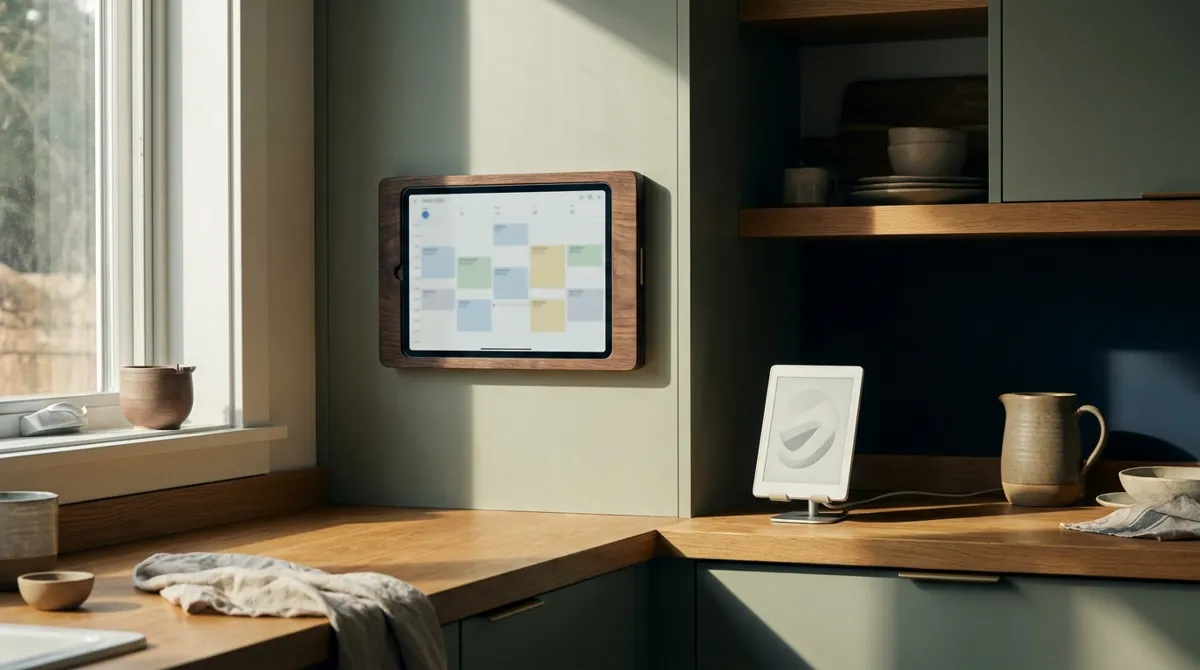
A home server does the work. Any device connects.
An always-on Mac at home runs your automations, media library and voice archive. Phones, tablets, TVs and e-ink screens are just windows into it. Everything technical is on this page.
Bring any model
Use the best model for each job: cloud models where they are strongest, open models on your own Mac where privacy matters. Swap one for another and your workflows keep running.
 Claude
 Gemini
 ChatGPT
 DeepSeek
 Qwen
Qwen LM Studio
 VS Code
 Cline
ClineClaude, Gemini, ChatGPT, DeepSeek, Qwen, LM Studio, VS Code and Cline are trademarks of their owners, shown only to indicate compatibility. No affiliation or endorsement implied.
Three flows, end to end
Voice to journal
Calendar to screens
Files to family library
One Mac at home runs the show.
Your devices reach it over home Wi-Fi, your Apple account, or a private tunnel when you are away. It drives the screens in your house. Family recordings stay on that Mac, and only what you approve is ever published.
What runs on the home server
Message bus
A shared inbox of tasks. Apps and AI helpers hand each other work as plain files, so nothing gets lost and every step can be reviewed.
Python workers
Small scripts that each do one job: refresh a calendar, render a flashcard, tidy a folder. Standard library only, so they keep running for months.
Container manager
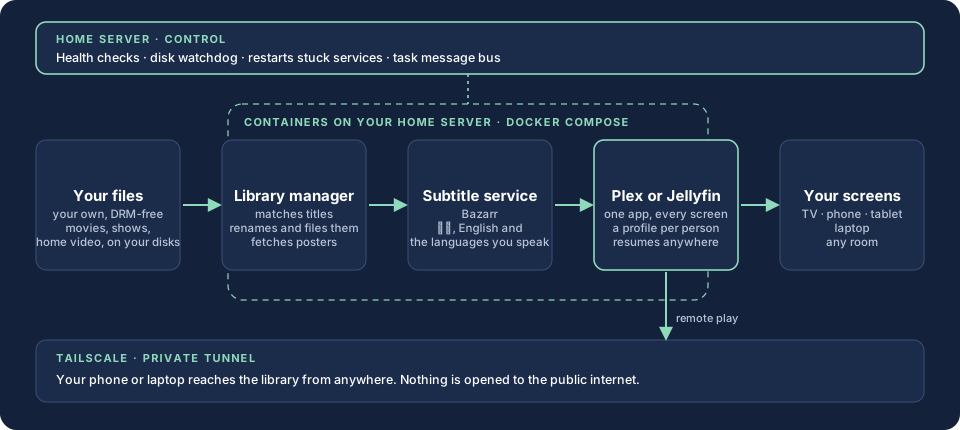
Heavier apps, like your media stack, run in containers managed from one place: start, update, roll back.
Screen registry
One file lists every screen in the house and what it plays. Add a device, pick its playlist.
Watchdogs
Watchers restart a stuck service and flag a failing drive before it fails.
Private by default
The admin side stays on your private network. Screens on the house Wi-Fi get a read-only, filtered mirror.
Python standard library · launchd or systemd services · Docker Compose · Tailscale · plain-file message bus
Connect your devices to your home server
- Pick the boxAny always-on Mac or mini PC with a wired connection.
- Install our softwareWe set up the services so they start on boot and restart on failure.
- Join your private networkTailscale links your devices to the box from anywhere.
- Add your screensOpen the screen editor, add a tablet, kiosk or e-ink display, and choose what it shows.
Why Apple hardware, and how you connect
Why Apple hardware
Apple silicon runs speech recognition on the Mac itself, the same on-device technology behind dictation. Voice becomes text fast, privately, with no upload and no per-minute fee.
Connect from anything
Install Tailscale on an iPhone, Android phone, Windows PC or Mac and sign in with the Google, Apple or Microsoft account you already use. That one login is your key to the library, the journal and every screen. Nothing is opened to the public internet.
How the family library works
Your own files go in. Organized libraries, subtitles and a player on every screen come out. This is the stack behind Your Media, Organized.
 Plex
Plex Jellyfin
 Docker
 TailscaleLibrary managerSubtitles
Plex, Jellyfin, Docker and Tailscale are trademarks of their owners and are shown only to say what the stack is built from. No affiliation implied.